
Live Device Dashboard
Track connected diagnostic hardware, connection health and heater state from a single control view.
Coming Soon
Butler Technik Diag PRO gives service teams and customers a clearer view of heater diagnostics, connected devices, live operating data and fault status, all from one secure dashboard.
Live data
Voltage, temp, hours
Faults
Active and historic
Access
Teams and customers
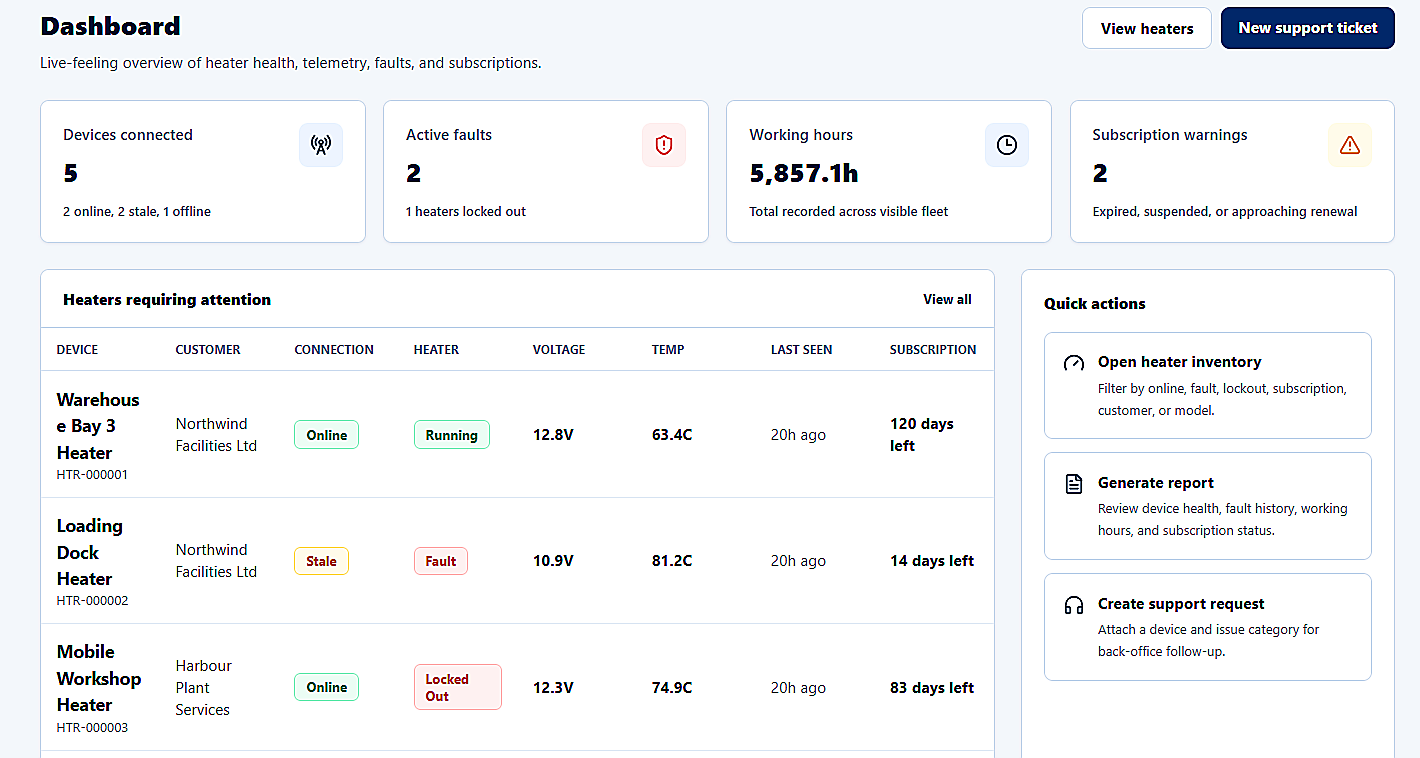
Fleet health, active faults, working hours and heaters requiring attention in one operational view.
Product Value
Diag PRO is being designed to bring heater condition, connected devices, active faults and useful readings into a clean dashboard for support and service workflows.
View connected diagnostic devices across customers, fleets and workshops.
Monitor heater status remotely before a physical inspection is needed.
Check active and historical faults with lockout visibility.
Review live technical data including voltage, temperature and working hours.
Support customers and service teams faster with one shared diagnostic view.
Reduce unnecessary back-and-forth troubleshooting and repeat information requests.
Voltage
12.8 V
Temperature
63.4 C
Working hours
1,530.5h
Active faults
2
Service time
120 days
Connection state, heater condition, voltage, temperature, working hours and service timing are grouped for faster support triage.
Features
Every feature is shaped around the information Butler Technik teams and customers need when a heater needs attention.
Track connected diagnostic hardware, connection health and heater state from a single control view.
Surface active and historical fault codes with severity, start time and clear status.
Organise heaters by customer, location, serial number and assigned support workflow.
Give engineers the data they need to triage issues before visiting site or requesting more details.
Capture voltage, temperature, working hours and status snapshots for service history.
Support internal teams with account, subscription, device and ticket visibility.
Role-aware access for administrators, technicians and customers as the platform grows.
Responsive foundations for engineers and customers checking diagnostics away from the desk.
Dashboard Preview
A closer look at the Diag PRO interface across fleet overview, heater diagnostics, support context and connected device filtering.
Connected devices, live health indicators and support actions at a glance.
A heater-level diagnostic assessment with telemetry, voltage, temperature and service status.
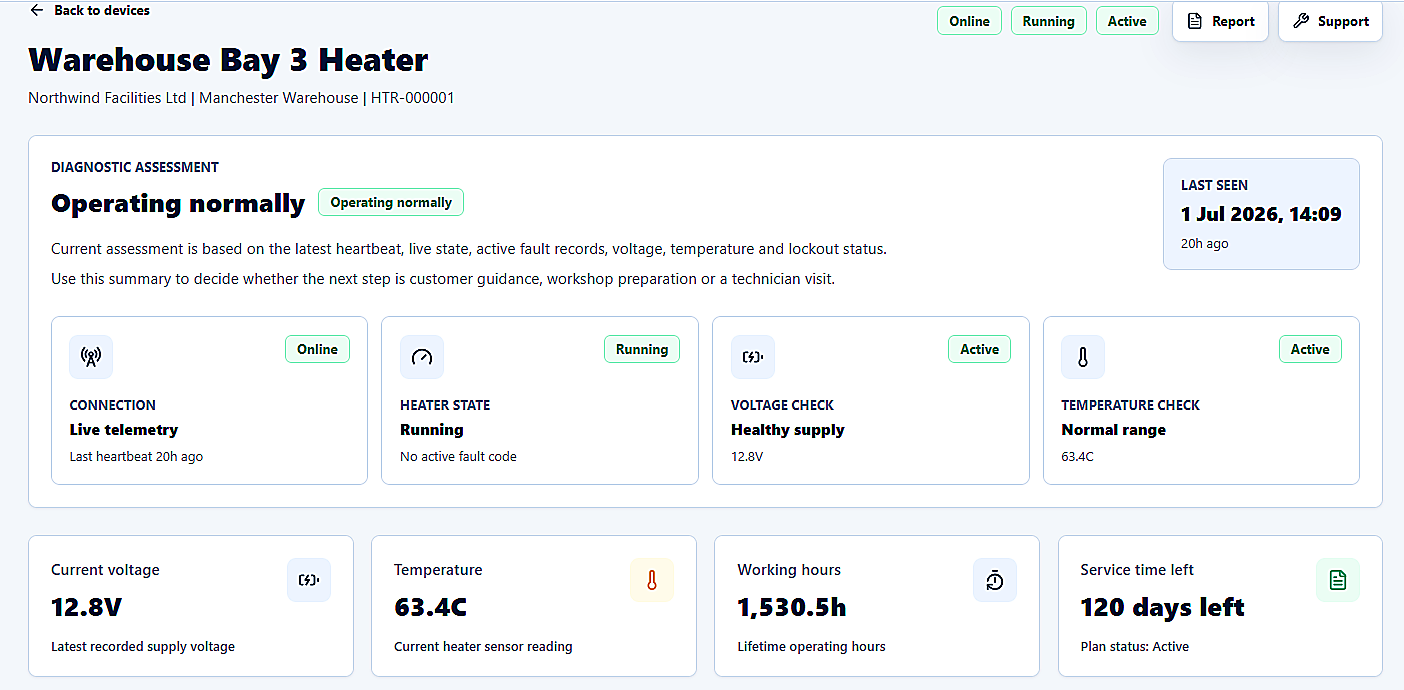
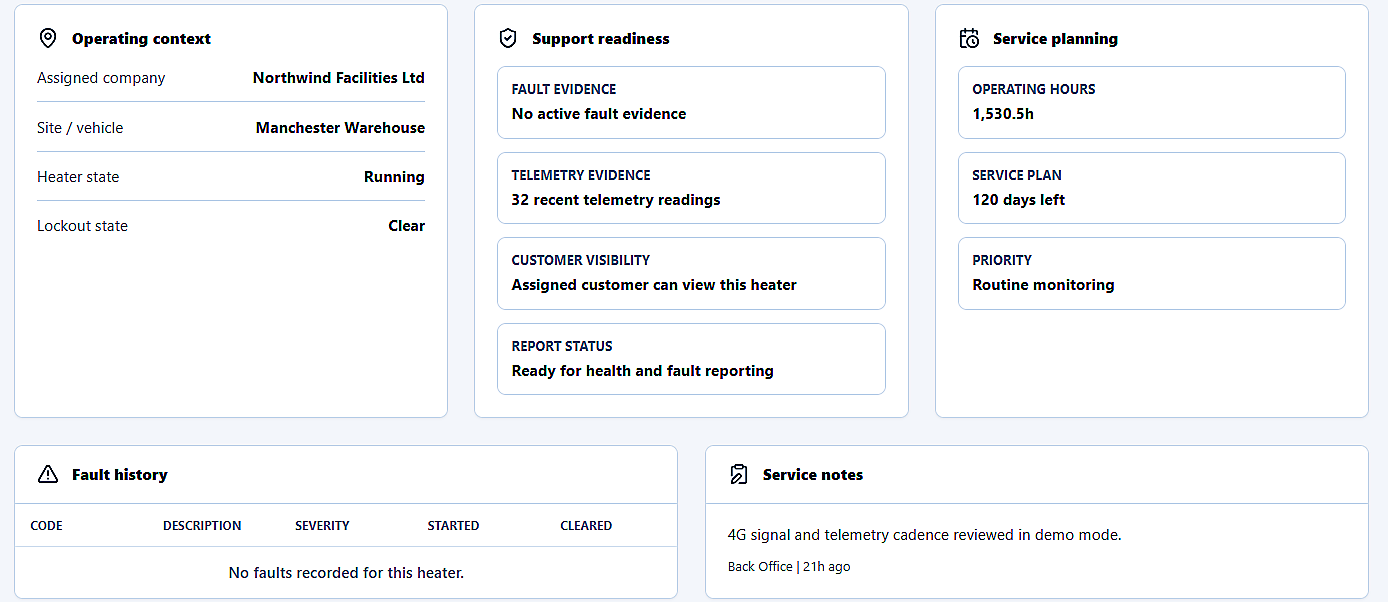
Operating context, fault evidence, customer visibility and service planning in one place.
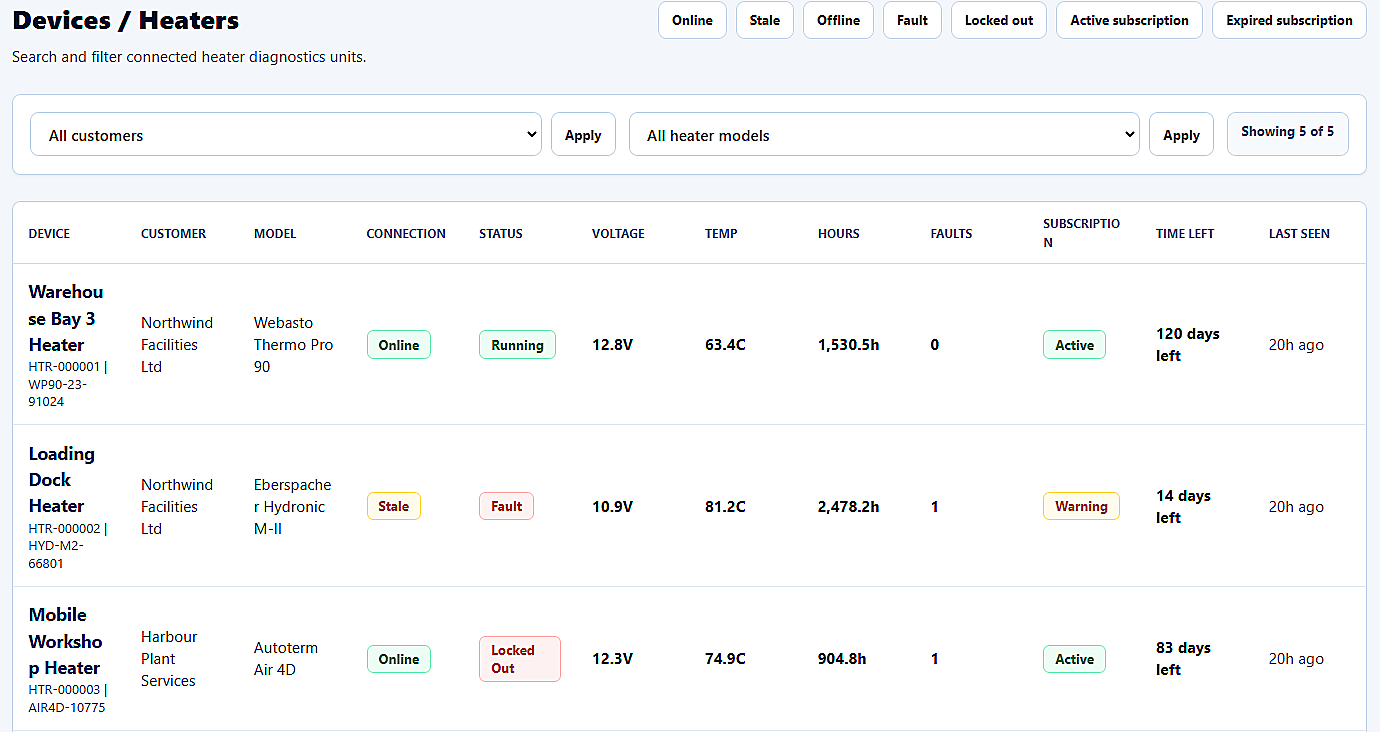
Searchable inventory with connection state, heater model, faults, subscription status and last seen data.
Diag PRO is intended to support internal teams, engineers, fleet monitoring and customers who need clear visibility of heater condition without waiting for scattered updates or repeated checks.
A faster way to review device condition, active faults and recent heater readings during support calls.
Remote context before inspection, helping engineers arrive with clearer fault history and unit status.
Grouped visibility for customers and teams managing multiple connected heaters across locations.
Plain, reliable diagnostic status for customers who need to understand heater condition quickly.
Coming Soon
Register interest for updates on launch plans, demo availability and customer access.
Screenshot slots, messaging, navigation and responsive layouts are ready for review and iteration.